
Wireless Access Points for Reliable Modern Business Networks
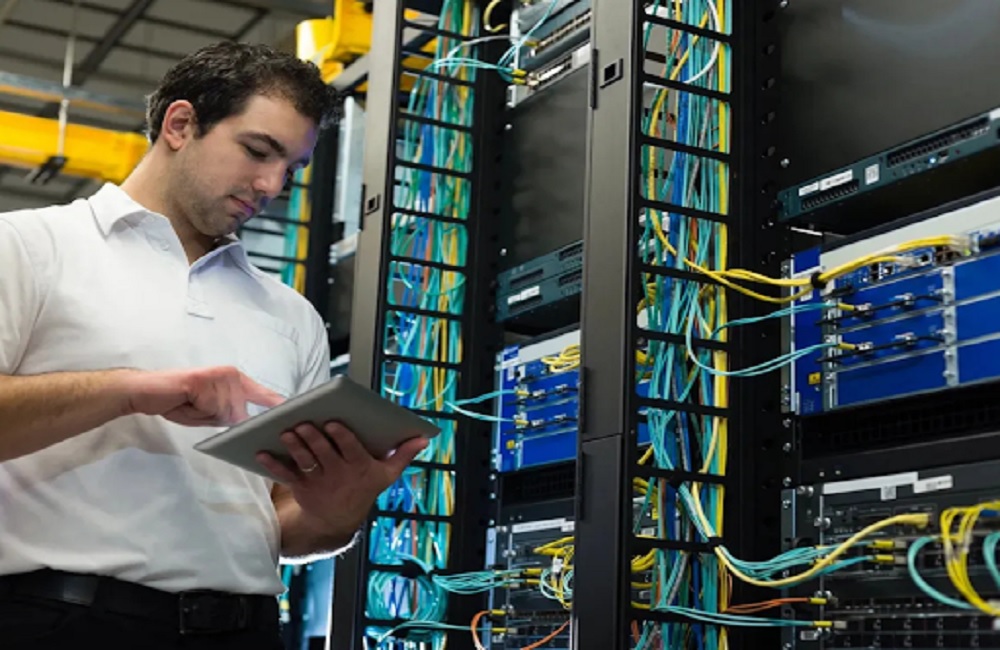
Reliable connectivity is essential for modern businesses that depend on cloud applications, video conferencing, VoIP, mobile devices, and connected systems. Wireless access points provide dependable Wi-Fi across offices, warehouses, customer areas, and other commercial spaces, but effective deployment requires more than adding hardware.
Wiredoptics plans wireless networks around coverage, device capacity, building layout, access point placement, network cabling, and supporting equipment to help businesses maintain consistent connectivity. For Nashville businesses, professional wireless installation can also be coordinated with structured cabling and other network infrastructure needs.
What Are Wireless Access Points?
A wireless access point, commonly called an AP, is a networking device that allows wireless devices to connect to a wired network. Laptops, smartphones, tablets, scanners, printers, cameras, and other connected devices can communicate through an AP, giving businesses flexible wireless connectivity throughout their facilities.
A router manages traffic between different networks, while an access point primarily provides wireless connectivity between devices and the wired network. In larger business environments, multiple APs can be deployed throughout a facility to provide broader coverage and support more connected devices.
The number and placement of APs should be determined by the specific property and network requirements rather than a fixed spacing rule. Building materials, walls, ceilings, shelving, interference, device density, expected capacity, and coverage requirements can all affect the installation plan.
Why Businesses Need Reliable Wireless Connectivity
A reliable wireless network supports many of the systems businesses use every day. Employees may depend on Wi-Fi for video meetings, cloud applications, VoIP calls, file transfers, mobile devices, and other connected services, while warehouses and retail environments may rely on wireless connectivity for scanners, point-of-sale systems, and other operational equipment.
A well-planned wireless network can support:
- Employee laptops and mobile devices
- Video conferencing
- Cloud-based applications
- Voice over IP
- Guest Wi-Fi
- Mobile point-of-sale systems
- Warehouse scanners
- Connected business equipment
- Internet of Things (IoT) devices
For businesses in Nashville and throughout Tennessee and Kentucky, provides wireless access point installation along with the network cabling that supports business Wi-Fi. Projects can include access point quantity and placement planning, coverage and capacity considerations, office and warehouse layouts, and coordination with switches and network closets.
How Many Wireless Access Points Does a Business Need?
There is no universal number of APs that works for every business or building. A small office may need only a few access points, while a warehouse, hotel, school, or multi-floor commercial property may require a different deployment based on its layout, coverage requirements, and number of connected devices.
The right number of APs depends on several factors.
Building Size and Layout
Square footage is an important consideration, but it should not be the only factor. Walls, concrete structures, multiple floors, ceiling heights, shelving, and other physical features can affect wireless coverage and access point placement.
An open office may require a different AP layout than a warehouse with tall shelving or a multi-story commercial building. The physical characteristics of the property should be considered when determining where APs should be installed.
Number of Connected Devices
The number of connected devices can affect wireless network capacity. An office with 50 employees using laptops, smartphones, tablets, and other connected equipment can have very different requirements from a smaller workplace with fewer devices. Businesses should consider both the number of users and the number of devices expected to connect to the network.
User Density
Not every area of a building has the same wireless demand. Conference rooms, training spaces, customer areas, event spaces, and shared workspaces can have significantly more simultaneous connections than individual offices. AP planning should account for areas where many users and devices are likely to connect at the same time.
Wireless Interference
Interference can also affect wireless performance. Nearby networks, electronic equipment, building materials, and physical obstructions can influence signal quality and connectivity.
For this reason, access points should not simply be installed at fixed intervals. A site-specific approach that considers coverage, device capacity, building layout, mounting locations, cable routes, and supporting network equipment can help create a more suitable wireless deployment.
Wireless Access Point Placement Matters
Adding more access points does not automatically solve wireless problems. Poor placement can contribute to coverage gaps, interference, or insufficient capacity when too many devices rely on the same AP. A reliable deployment considers where people and devices actually use the network.
Important placement considerations include:
- Building layout and floor plan
- Wall and ceiling construction
- Device density
- Interference
- Coverage requirements
- Expected bandwidth needs
- Access point mounting locations
- Network cable routes
- Supporting switches and network equipment
For warehouses, large open areas, tall shelving, moving inventory, and device density can create additional wireless challenges. AP locations should account for the actual facility layout and operating needs rather than relying on a fixed spacing rule.
Wireless Access Points Need the Right Network Cabling
Wireless connectivity does not mean an access point installation is completely cable-free. Business access points typically connect to the network through Ethernet cabling, which carries network data and, when supported, can also deliver power through Power over Ethernet (PoE).
This makes structured cabling an important part of planning a business wireless network. The cable route, network closet, switching equipment, and access point locations all need to work together for a reliable installation. For businesses looking for network cabling Nashville services, the appropriate cable type depends on the network equipment, distance, bandwidth requirements, and project specifications.
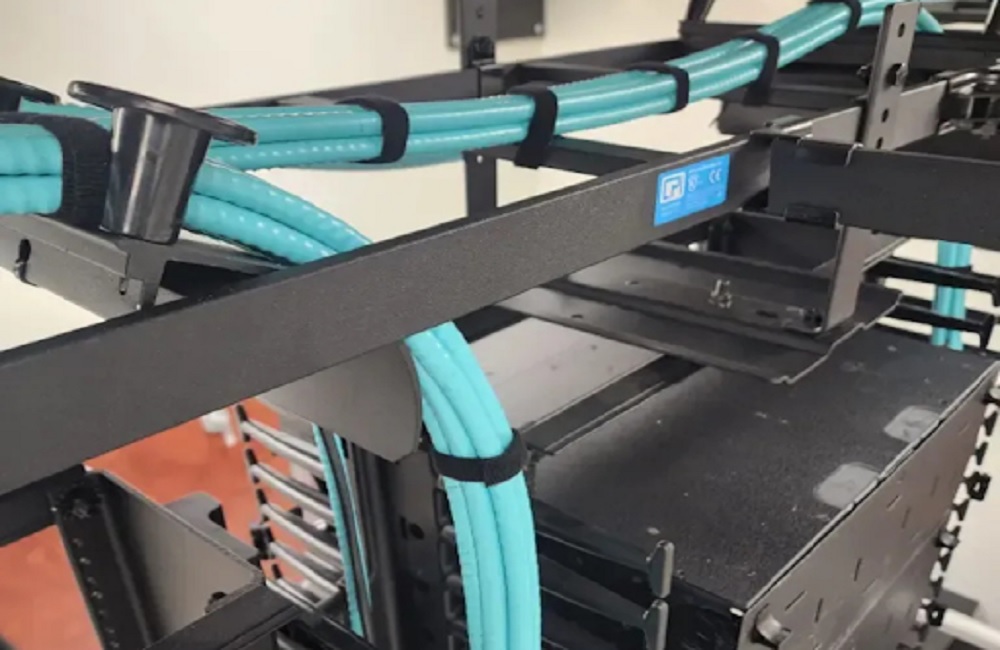
Properly planned cable routes can also make maintenance and future network changes more manageable. Keeping access point cabling organized and properly documented can help technicians identify connections and troubleshoot network issues more efficiently.
Power Over Ethernet
Power over Ethernet, or PoE, allows compatible networking equipment to receive electrical power through an Ethernet connection. For many commercial access point installations, PoE can eliminate the need for a separate electrical outlet near the AP.
The network switch, Ethernet cabling, and access point must support the required PoE standard and power level. Requirements can vary by access point model and features, so equipment specifications should be reviewed before installation.
Wi-Fi 6, Wi-Fi 6E, and Wi-Fi 7
Wireless standards continue to advance, making the choice of access point technology an important consideration for businesses planning a new network or upgrading an existing one. The right option depends on the devices being connected, expected network traffic, building requirements, and supporting infrastructure.
Wi-Fi 6
Wi-Fi 6 is designed to improve wireless efficiency and support environments with many connected devices. It can be a practical option for businesses replacing older wireless equipment or planning a network for offices, warehouses, and other commercial facilities.
Wi-Fi 6E
Wi-Fi 6E extends Wi-Fi 6 capabilities into the 6 GHz band. The additional spectrum can provide compatible devices with access to less congested wireless channels, although businesses need compatible access points and client devices to take advantage of the 6 GHz band. Cisco notes that Wi-Fi 6E deployments may also require businesses to assess supporting network infrastructure, including switches, routers, and access points.
Wi-Fi 7
Wi-Fi 7 is the newer generation of Wi-Fi technology and introduces capabilities such as Multi-Link Operation (MLO), which can allow compatible devices to use multiple frequency bands under supported configurations. Wi-Fi 7 can be relevant for businesses with demanding wireless applications and high device density, but the benefits depend on compatible client devices, access points, network equipment, and the deployment environment.
Choosing the Right Wireless Standard
The newest wireless standard is not automatically the right choice for every business. Device compatibility, application requirements, building layout, expected capacity, existing network equipment, cabling, and project budget should all be considered.
It plans wireless access point installations around the specific facility, including coverage goals, device capacity, building layout, cable routes, mounting locations, and supporting network equipment. This approach helps connect the wireless design with the physical network infrastructure required for the installation.
Security Should Be Part of the Wireless Design
Business Wi-Fi can connect employees to cloud applications, printers, phones, cameras, and other networked resources. Because wireless connectivity can provide access to important business systems, security should be considered alongside coverage, capacity, and network infrastructure.
Important wireless security considerations can include:
- WPA3 where supported
- Strong authentication
- Separate guest and employee networks
- VLAN segmentation
- Access controls
- Firmware updates
- Secure administrative access
- Monitoring for unusual wireless activity
Guest Wi-Fi can also be separated from internal business systems to help prevent visitors from accessing resources intended for employees.
Wireless Access Points for Different Business Environments
Different commercial properties have different connectivity requirements. The right wireless access point design depends on the building layout, number of users and devices, physical obstructions, coverage requirements, and the applications being supported.
Offices
Offices typically require consistent Wi-Fi for computers, smartphones, video meetings, printers, VoIP systems, and other connected devices. Conference rooms and shared workspaces may require additional capacity because many users can connect at the same time.
Warehouses
Warehouses can present unique wireless challenges because of large floor areas, shelving, inventory, equipment, and moving devices. AP placement should account for the physical layout and the locations where wireless scanners and other devices are used.
Retail Locations
Retail businesses may use wireless connectivity for employee devices, inventory systems, mobile point-of-sale equipment, customer Wi-Fi, and other connected services. Separate networks may be appropriate for employees and guests.
Customer-Facing Facilities
Hotels, restaurants, healthcare facilities, and other customer-facing businesses may need reliable wireless connectivity for both employees and visitors. Guest access can be separated from business systems while maintaining coverage throughout customer areas.
The appropriate wireless access point design should be based on the property’s physical characteristics, expected device usage, and network requirements.
When Should a Business Upgrade Its Wireless Network?
An existing wireless network may need attention when connectivity no longer meets the demands of the business.
Common warning signs include:
- Frequent dropped connections
- Wi-Fi dead zones
- Slow performance during busy periods
- Poor connectivity in conference rooms or work areas
- A growing number of connected devices
- Aging wireless hardware
- Difficulty supporting newer devices
- Coverage problems after a renovation or layout change
Simply adding another access point may not always resolve the underlying issue. Poor performance can result from coverage limitations, network capacity, interference, cabling, switching equipment, AP placement, or other infrastructure problems.
How Wireless Access Point Projects Are Planned
Commercial wireless access point projects can include access point installation and supporting network cabling for facilities across Tennessee and Kentucky, including Nashville. Projects can include access point quantity and placement planning, network cabling to AP locations, coverage and capacity considerations, office and warehouse layouts, and coordination with switches and network closets.
The process begins with a discussion about the property, existing systems, and project goals. The project scope is then reviewed, followed by a tailored proposal and installation scheduling based on the approved project requirements.
Wireless access point projects can be appropriate for office renovations, warehouses, customer areas, growing device counts, coverage gaps, and new commercial spaces that need reliable business connectivity.
For Nashville businesses, related network infrastructure can also be addressed as part of the project. Structured cabling can include Cat5e, Cat6, and Cat6a network runs, network drops, patch panels, racks, pathways, labeling, and connection testing, with the final scope based on the building, selected equipment, and project requirements.
Frequently Asked Questions
How many wireless access points does a business need?
The number depends on the building layout, wall materials, coverage requirements, connected devices, interference, and expected capacity. A property-specific plan is more dependable than using a fixed AP-per-square-foot formula.
Do wireless access points need network cabling?
Yes. Commercial APs normally require a wired network connection. Depending on the equipment, Power over Ethernet can provide power through the same Ethernet connection.
Where should wireless access points be installed?
AP placement should account for the floor plan, ceiling height, walls, interference, user density, device locations, and required coverage. Ceiling-mounted APs are common in commercial environments, but the appropriate location depends on the property.
Are wireless access points the same as routers?
No. A router directs traffic between networks, while an access point primarily provides wireless network connectivity. Business networks can use routers and multiple APs together.
Can wireless access points improve warehouse Wi-Fi?
Yes. Properly planned AP placement can address coverage and capacity challenges in warehouses. Tall shelving, inventory, building materials, and device locations should be considered during planning.
Build a More Reliable Business Wi-Fi Network
Reliable business Wi-Fi starts with more than choosing wireless hardware. Wireless access points need proper placement, network cabling, capacity planning, security, and infrastructure coordination to support consistent connectivity. For Nashville businesses, professional network cabling Nashville services can also help provide the wired infrastructure needed to support wireless deployments.
Businesses planning a new installation, improving coverage, or upgrading an existing network can benefit from professional planning and installation. For commercial wireless networking and supporting infrastructure in Nashville, Wiredoptics can help plan the right solution for the property and its connectivity requirements.